You have a business to run and an ad account to understand.
You have an offer to promote, a few product images, and an amount you are willing to spend. Then come the questions: which campaign settings should you use, what should the ads say, and how will you know when to change them?
An AI assistant can help you work through those decisions. The friction starts when the conversation ends and you have to carry the advice into your ad account. You switch tools, repeat the brief, and wonder whether the campaign you created matches the plan.
Keep the conversation connected to the account
With Superlaunch, a supported AI assistant can work with your Meta account through an authorized connection. It can read synced performance data and use account tools to prepare a launch. You provide the business decisions and review the proposed work before it reaches the account.
Ask your connected AI agent to help with the workflow below. Use the Superlaunch app to connect accounts, select media and inspect the results. Try the AI agent prompts.
Launch a new product offer
You run a small online store and are launching a new product. You have product photos, an introductory offer and a daily budget. You want to get the campaign ready, see whether it brings purchases and decide what to change next.
The following is an illustrative workflow you can adapt to your account.
How this works in practice
Connect your account and assistant
Start the Meta connection in Superlaunch and select the businesses and ad accounts you manage. Complete Meta’s permission steps, then check the account’s sync status. Connect a supported AI assistant, such as Claude or ChatGPT, using the setup instructions.
Give the agent your ad account’s name. If you have more than one account with a similar name, ask it to show the choices. You do not need to paste an account ID or share your Meta password in the conversation.
Tell the agent about the new product
For your new product offer, describe what you sell, who it is for, the offer, the website link and your daily budget. Ask the agent to read your saved brand information and ask about anything missing.
Upload your product images or select the files from Google Drive in Superlaunch. Continue in the agent conversation to prepare ad copy and complete the creatives. Review the ads, then approve the versions you want to use.
Review the campaign before creating it
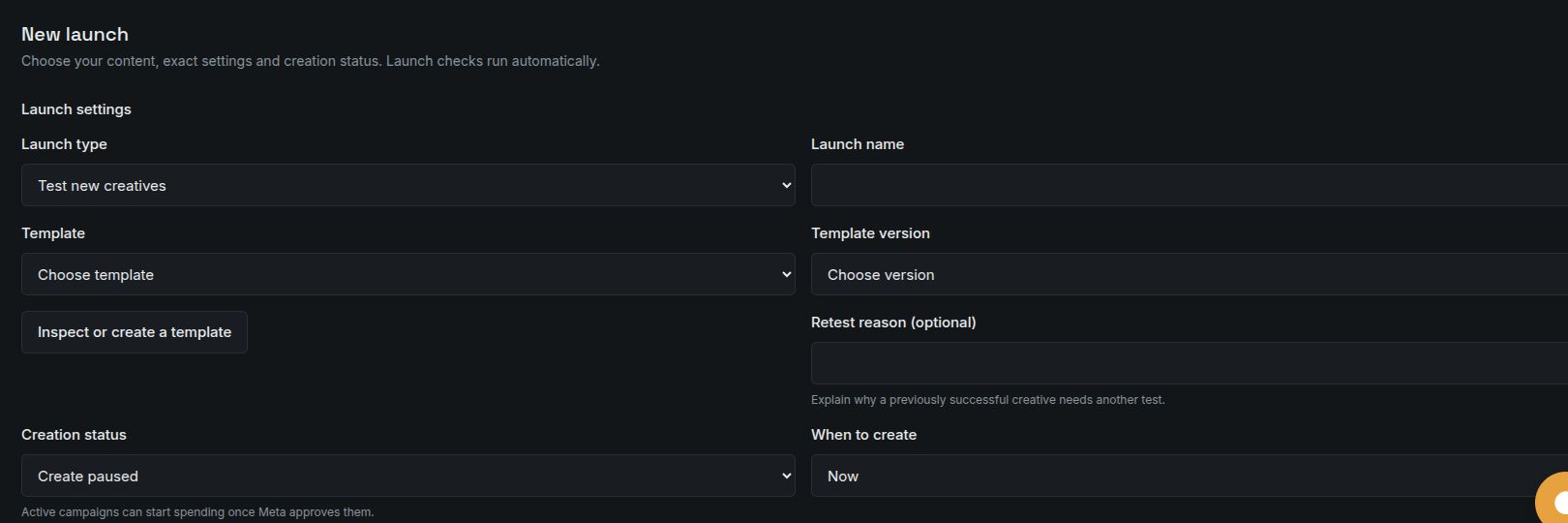
Ask the agent to save the campaign settings as a reusable Launcher template. Review the audience, placements and budget, and set the account’s campaign and budget limits before the first launch preview. The agent can explain missing setup and help you complete it.
Ask for a preview using your approved creatives. Check the copy, website link and budget. Once you are happy with it, ask the agent to create the campaign paused so you can inspect it before activation.
Understand results before adding automation
After the ads have had time to deliver, ask: “What did I spend on this product, how many purchases were recorded, and what did each purchase cost?” Use leads or another result if that is what your business measures.
Compare equivalent periods and ask the agent to use the same way of counting purchases. If you keep finding ads that spend without purchases, ask it to test a rule for that specific problem. Review which ads match before allowing the rule to pause them.
AI agent prompt examples
Connect your AI agent to Superlaunch, then try these prompts in your conversation. Replace the names and example values with your own. Use account, collection and template names; the agent should find them and ask you to choose if more than one matches.
Explain your offer
Help me plan ads for [account name]. I want to promote [product or offer] to [audience] with a daily budget of [amount and currency]. Read our saved brand information and ask me for anything else you need. Summarize the plan before creating anything.
You can describe your business in normal language. The agent can help identify missing copy, images, destination or campaign settings.
Prepare the campaign
Use the offer we discussed to prepare a campaign for [account name]. Help me choose the creatives and set up a reusable campaign template. Check the launch limits. Show me the ad copy, website link, audience and daily budget before creating the campaign.
Select local or Google Drive files in the app when needed. Review the complete creative versions before approving them for launch.
Create it paused for a final check
Create the campaign we just reviewed, with the ads paused. Tell me whether it completed and where I can review it. If anything failed, explain what needs fixing.
Creating paused gives you a chance to inspect the campaign before activation. Meta’s review still applies before ads can deliver.
Understand what your ads are doing
How did [account name] perform last week? Show what I spent, how many purchases were recorded and the cost per purchase. Compare that with our target, explain any missing data, and suggest what I should do next. Ask before changing anything.
Use the conversion your business tracks. Once you understand the results, ask the agent to test a rule for a specific problem, such as spend without purchases.
Before you rely on the result
You need access to the Meta ad account and a supported agent connection. Complete the connection and permission steps before trying these prompts. The agent can explain and prepare the work; you still choose the offer, budget and changes to allow.
A useful first step
For your first session, aim for a reviewed campaign preview. You can add recurring launches and rules once you understand the setup and have enough delivery data to judge it.
You can work through campaign setup and performance questions in plain language, with a preview before launch and a record of account changes.
Read the setup documentation