You have a business to run and an ad account to understand.
You have an offer to promote, a few product images, and an amount you are willing to spend. Then come the questions: which campaign settings should you use, what should the ads say, and how will you know when to change them?
An AI assistant can help you work through those decisions. The friction starts when the conversation ends and you have to carry the advice into your ad account. You switch tools, repeat the brief, and wonder whether the campaign you created matches the plan.
Keep the conversation connected to the account
With Superlaunch, a supported AI assistant can work with your Meta account through an authorized connection. It can read synced performance data and use account tools to prepare a launch. You provide the business decisions and review the proposed work before it reaches the account.
Launch a new product offer
You run a small online store and have product images, an offer, and a budget. You want help preparing the campaign, understanding the results, and deciding when to change it.
The following is an illustrative workflow you can adapt to your account.
How the workflow works in practice
Connect your Meta account
Start the connection in Superlaunch. In Meta, approve the requested access and select the businesses and ad accounts you manage. Back in Superlaunch, review the connected account and its sync status.
You do not need to hand the assistant your Meta password. You connect through the supported authorization flows and choose the access available to the team. Check that you selected the right account before discussing budgets or preparing a campaign.
Give your agent the brief
Connect a supported AI assistant, such as Claude or ChatGPT, through its MCP connection. Save your brand positioning and account context so you can reuse them. Tell the agent the offer, target audience, and budget you want to review.
Ask the agent to identify missing details before it proposes a campaign. Saved context helps you reuse the brief; it does not replace checking the details for a new offer.
Review a launch before it runs
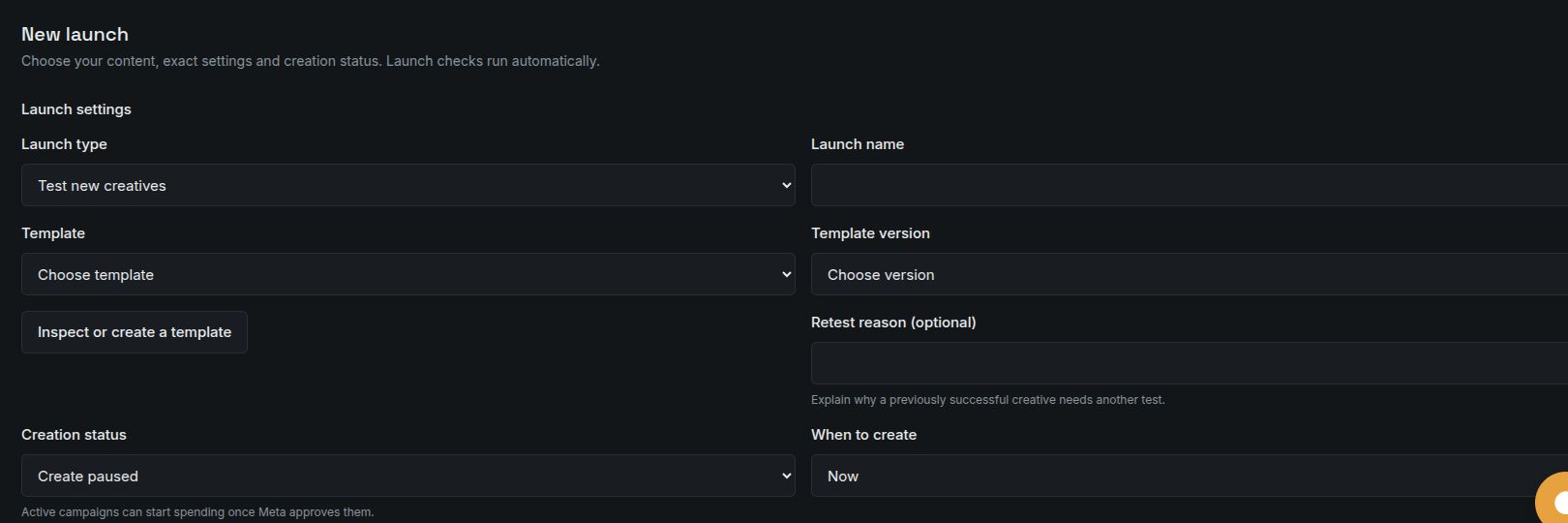
Set the account’s Launcher campaign and budget limits before the first launch preview. Add and approve your creatives, configure a campaign template, and ask the agent for a launch preview. Check the copy, destination, targeting, and budget. Create campaigns paused when you want to inspect them in Meta before activation.
Treat the preview as a decision point. Ask the agent to identify anything missing rather than filling gaps with guesses. If the destination or audience is wrong, correct it before submission. When you create paused, you can inspect the campaign in Meta before it starts spending.
Check results and add a rule
Ask the agent what you spent and which ads generated the conversion events you track. Start with a preview of a rule to pause low-performing ads after a meaningful amount of spend, then enable it when the settings fit your business.
Start with a question you can act on: “How much did we spend on this offer, and which ads produced the conversions we track?” Ask about the reporting period and attribution before comparing results. Add automation only when you understand the check and the action it will take.
Start the conversation with your agent
Adapt this example to your account and the task you want to review.
Help me prepare a campaign for our new offer. First ask for any missing creative, destination, audience, or budget details. Use our saved brand context, preview the launch, and wait for my confirmation before submitting it.
Before you rely on the result
You need access to the Meta ad account and a supported agent connection. Connecting includes Meta’s permission steps. Your agent uses saved context as guidance. Its granted access and your account permissions control the actions it can take. Rule settings control scheduled checks and changes.
A useful first step
For your first session, aim for a reviewed campaign preview. You can add recurring launches and rules once you understand the setup and have enough delivery data to judge it.
You can work through campaign setup and performance questions in plain language, with a preview before launch and a record of account changes.
Read the setup documentation